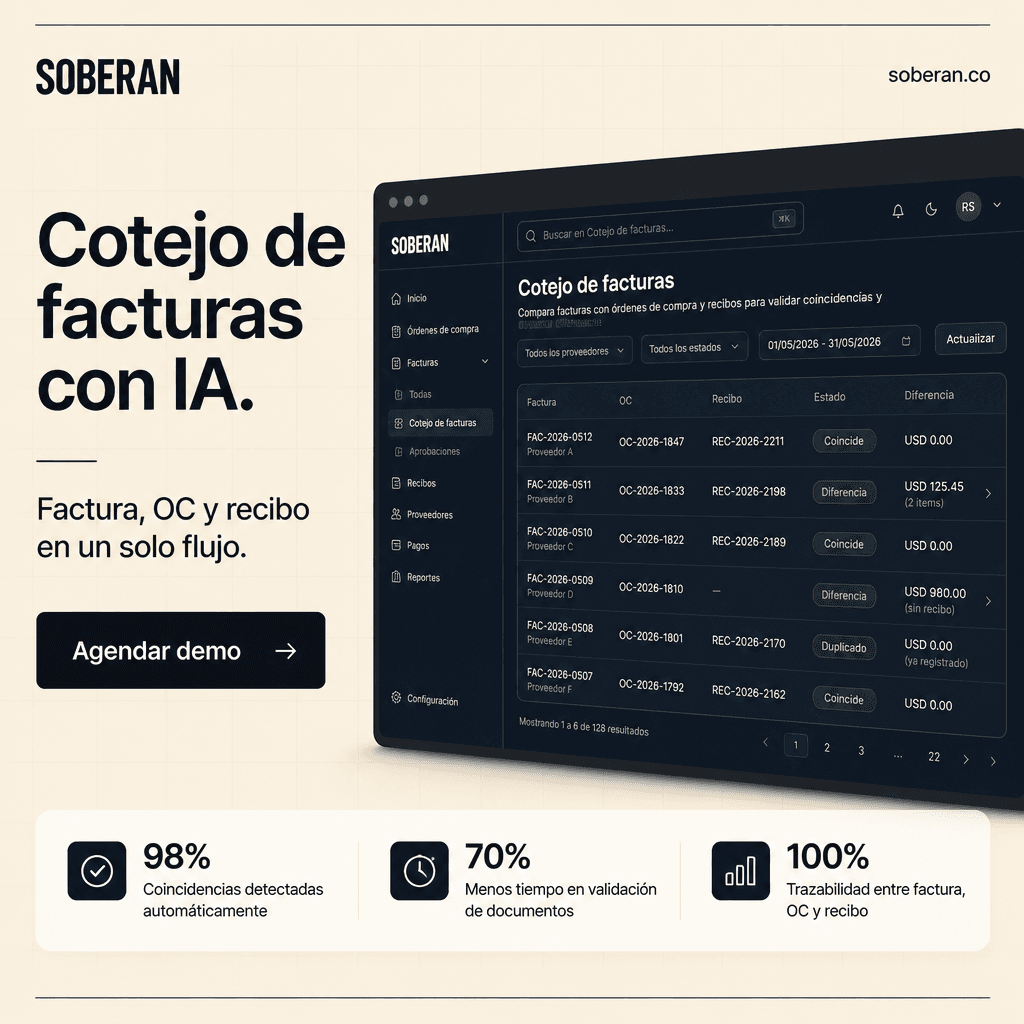
The answer: match evidence before releasing payment
The useful version is not OCR that only extracts fields from a PDF. It is a governed workflow that reads the invoice, finds the purchase order, validates the goods receipt or service acceptance, applies tolerance rules, checks duplicates, and sends only real exceptions to a human owner.
For stock-heavy operators, the buyer intent is practical: reduce overpayments, avoid paying for goods that never arrived, shorten invoice cycle time, and keep a supplier-ready evidence trail when price, quantity, tax, freight, or receipt data does not line up.
What invoice matching means in AP
- Invoice totals matching compares invoice totals against expected totals from the purchase order and configured tolerances.
- Two-way matching compares invoice price information with the purchase order, usually at the line level.
- Three-way matching compares invoice price to the purchase order and invoice quantity to the received quantity or product receipt.
- Charges matching validates freight, handling, tax, and other charge codes against the purchase order policy.
- Four-way matching adds quality inspection or acceptance data when payment depends on inspection, lot status, or service confirmation.
Concrete workflow to automate first
- Capture invoice data: supplier, invoice number, PO references, dates, currency, line items, taxes, charges, totals, payment terms, and attachments.
- Normalize master data: vendor aliases, SKU descriptions, units of measure, pack sizes, tax codes, currencies, locations, and line references.
- Retrieve operating evidence: purchase order lines, receipts, partial receipts, returns, debit memos, contracts, supplier catalog data, and prior invoices.
- Run matching logic: exact match, tolerance match, duplicate check, missing receipt check, partial shipment check, and charge policy check.
- Route exceptions with context: show the variance, source records, confidence, owner, recommended next action, and whether payment should be blocked.
- Write back structured outcomes: match status, exception reason, approval decision, invoice hold, payment release status, and audit evidence.
Common exceptions the agent should classify
- Price variance: invoice unit price or net line total exceeds the PO tolerance.
- Quantity variance: invoice quantity is higher than the received quantity or is linked to the wrong receipt.
- Missing receipt: the invoice has a valid PO, but receiving has not confirmed the goods or service.
- Duplicate invoice: supplier, invoice number, amount, date, or bank data overlaps with an existing invoice.
- Charge variance: freight, handling, taxes, discounts, or surcharges are outside configured policy.
- Master data mismatch: the same vendor, SKU, unit of measure, or address appears under different labels.
- Partial and split orders: one invoice covers several POs, one PO is invoiced in stages, or receipts arrive across multiple locations.
Where AI helps and where rules still matter
Rules should own the financial control: tolerances, approval thresholds, duplicate blocks, segregation of duties, and payment release. AI should improve the messy work around the control: reading unstructured invoices, mapping supplier descriptions to SKU records, explaining variance causes, assembling evidence, and preparing exception packets.
That division matters. A system that lets an AI model approve every mismatch is risky. A system that only runs rigid rules misses normal supplier behavior such as aliases, unit conversions, partial receipts, and revised delivery schedules. The best workflow combines deterministic matching with AI-assisted normalization and human approval for risky actions.
Metrics AP leaders should track
- First-pass match rate and touchless invoice rate.
- Median time from invoice receipt to match decision and from exception to resolution.
- Exception aging by supplier, buyer, warehouse, SKU, and variance type.
- Duplicate invoices prevented, overpayment value avoided, and payment holds released on time.
- Supplier dispute rate and percentage of exceptions with complete source evidence.
- Writeback quality: structured status, owner, decision, timestamp, and source links stored in ERP or AP.
How SOBERAN fits
SOBERAN treats invoice matching as an operating workflow across ERP, procurement, receiving, inventory, supplier communication, approvals, and SOBERAN Agent. The agent can read the invoice, pull PO and receipt evidence, identify the variance, prepare the approval packet, and write the outcome back to the systems that finance already uses.
A serious demo should start with a messy supplier invoice and end with one of two outcomes: a clean invoice released under policy, or an exception packet that shows invoice, PO, receipt, tolerance rule, owner, and next action in one traceable view.
Sources and trend signals
- Microsoft Learn - Accounts payable invoice matchingOfficial Dynamics 365 reference for invoice totals, two-way, three-way, charges, tolerance, and receipt matching concepts.
- SAP Concur - Three-Way MatchOfficial product page describing invoice, PO, and receipt matching, fraud prevention, ERP integration, and tolerance-based exceptions.
- APQC - Accounts Payable Key BenchmarksBenchmark collection for AP cost per invoice, first-time error-free disbursements, and invoice-to-payment cycle time.
- Deloitte - Advanced AP AutomationFinance automation reference showing OCR, machine learning, enrichment, three-way matching, exception handling, approval workflow, and ERP posting.
- McKinsey - Agentic AI in procurementTrend signal for AI agents across source-to-pay, including invoice-to-contract compliance and transactional work moving toward governed agent workflows.
- SOBERAN invoice verificationSOBERAN use-case page for invoice verification against purchase orders, matching, exceptions, and AP controls.