Cube and payload diverge
Planners need both measures in view because the limiting constraint changes by vehicle and shipment mix.
SOBERAN ERP · Truck loading
Plan rigid trucks and other vehicle configurations with package-level constraints, visual review, and a documented path to approval.
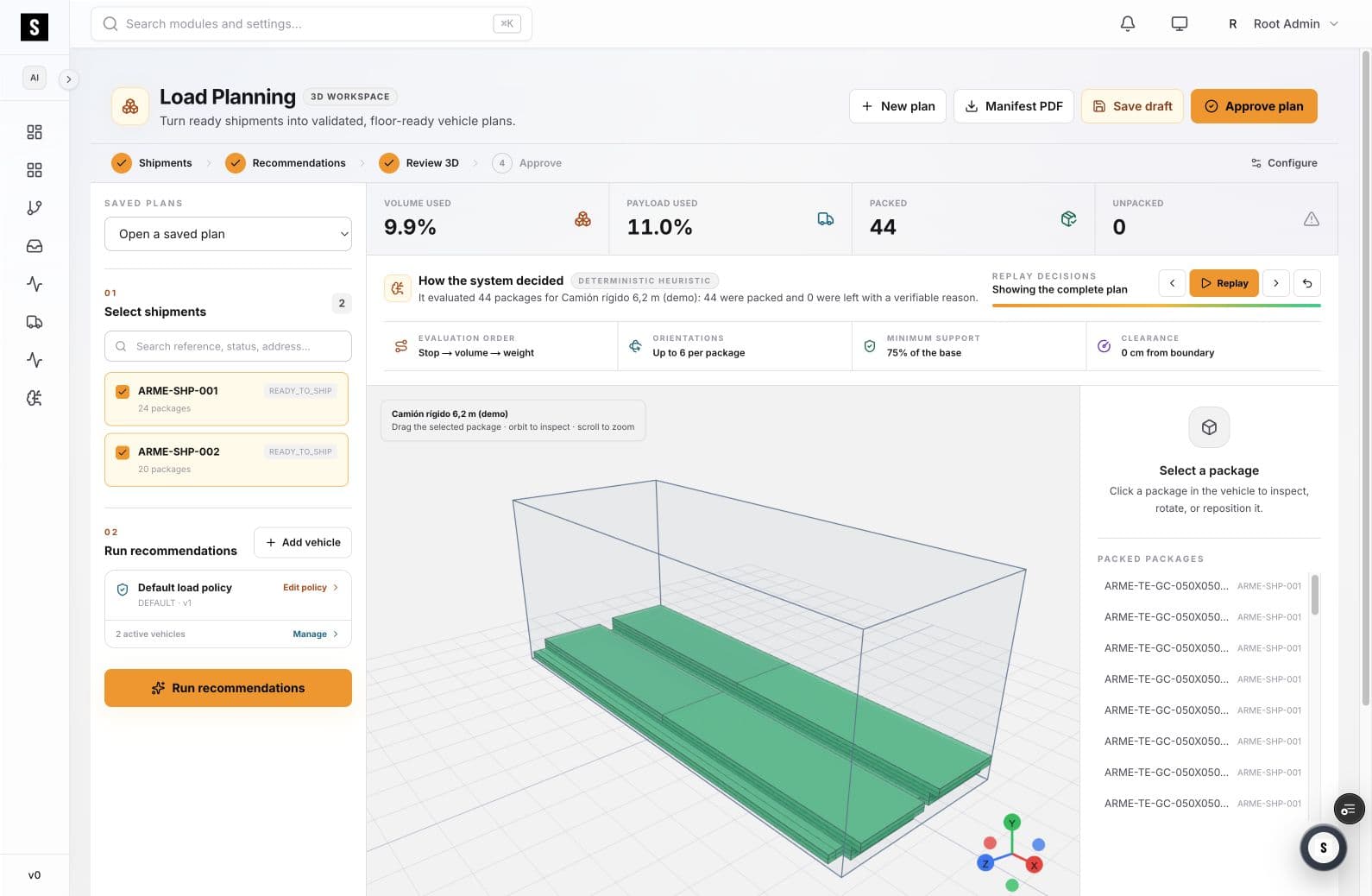
SOBERAN helps transportation and warehouse teams turn selected shipments into a truck-specific 3D plan while checking payload, volume, package orientation, support, and boundary clearance.
01
A truck can run out of payload before cube, or reach high cube utilization with an arrangement the floor cannot safely reproduce.
Planners need both measures in view because the limiting constraint changes by vehicle and shipment mix.
Long, flat, fragile, or stack-sensitive items need different orientation and support policies.
An unclear plan moves decisions to the loading dock, where changes are harder to audit and communicate.
02
SOBERAN keeps the vehicle, shipment set, packing policy, and approval state together.
Select ready shipments and confirm the packages included in the run.
Plan against the dimensions and payload limit of the selected truck configuration.
Run the recommendation, inspect the 3D arrangement, and review packed or unpacked items.
Approve the reviewed plan and pass a manifest to the execution team.
03
The plan is evaluated inside the selected vehicle boundary.
Weight utilization remains visible next to volume utilization.
Orientation, support, and clearance rules are evaluated at the package level.
Items that do not fit remain explicit instead of disappearing from the plan.
04
05
Plan mixed-SKU outbound loads that depend on product dimensions and handling rules.
Standardize how planners use each vehicle configuration.
Receive a plan that can be inspected before loading begins.
07
The workspace is designed around vehicle records and active vehicle configurations. The selected vehicle supplies the boundary and capacity used during planning.
Packed and unpacked counts remain visible. Unpacked packages can be reviewed as exceptions before the plan is approved.
It complements it. Load Planning decides how selected freight fits in a vehicle; Freight Execution manages the shipment context and operational handoff around that plan.
SOBERAN ERP · Truck loading
Bring a vehicle profile and a representative shipment mix. We will map the constraints and approval points together.
Book a working sessionReview one workflow with our team — 30 minutes, no commitment.
Book a demo