Different handling profiles
Not every pallet or package can be rotated, stacked, or supported in the same way.
SOBERAN ERP · Pallet and package planning
Keep package dimensions and placement rules attached to the freight plan so palletized loads can be reviewed before execution.
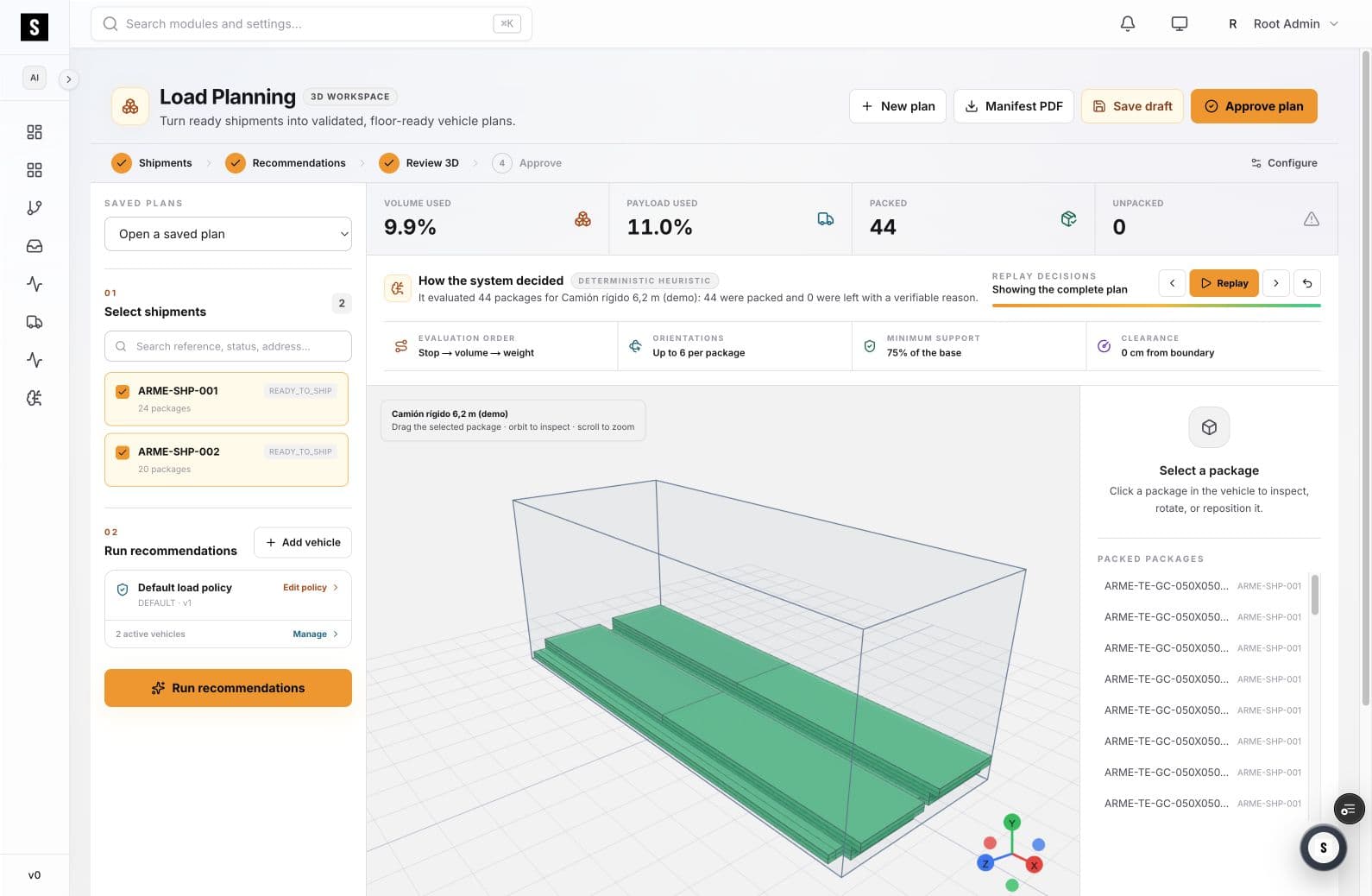
SOBERAN helps teams evaluate palletized and package freight inside a configured vehicle, with orientation, base support, clearance, volume, payload, and unpacked exceptions visible in one review flow.
01
Footprint, height, support, stack behavior, and unloading practicality all affect whether an arrangement is useful on the floor.
Not every pallet or package can be rotated, stacked, or supported in the same way.
Floor positions, volume, and payload can each become the binding constraint.
When freight does not fit, teams need a visible exception instead of a separate spreadsheet note.
02
The recommendation is evaluated against the full shipment set and the selected vehicle.
Bring dimensions and shipment identity into the planning run.
Use allowed orientations, support, clearance, and evaluation order.
Review package placement in the 3D vehicle and select individual items when needed.
Confirm packed and unpacked items before approving the plan.
03
Define the directions the planning policy can evaluate for each package.
Require a defined share of the package base to remain supported.
Keep package placement within the configured clearance rule.
Select a package in the vehicle to inspect or adjust it during review.
04
05
Coordinate mixed pallet and package freight in one outbound plan.
Represent long, flat, or support-sensitive items with explicit constraints.
Review how the selected freight uses each vehicle configuration.
07
No. The workspace also tracks overall volume and payload and can evaluate package-level orientation, support, and clearance rules.
Yes. A package can be selected in the 3D plan for inspection and, when appropriate, repositioning.
They remain visible as exceptions in the review so the team can revise the plan or make a separate execution decision.
SOBERAN ERP · Pallet and package planning
We will review how your dimensions, handling rules, and vehicle constraints translate into a repeatable planning policy.
Book a working sessionReview one workflow with our team — 30 minutes, no commitment.
Book a demo