ERP · Load Planning
Inside the SOBERAN Load Planning workspace
A screen-by-screen look at the path from ready shipments to an approved, floor-ready vehicle plan.
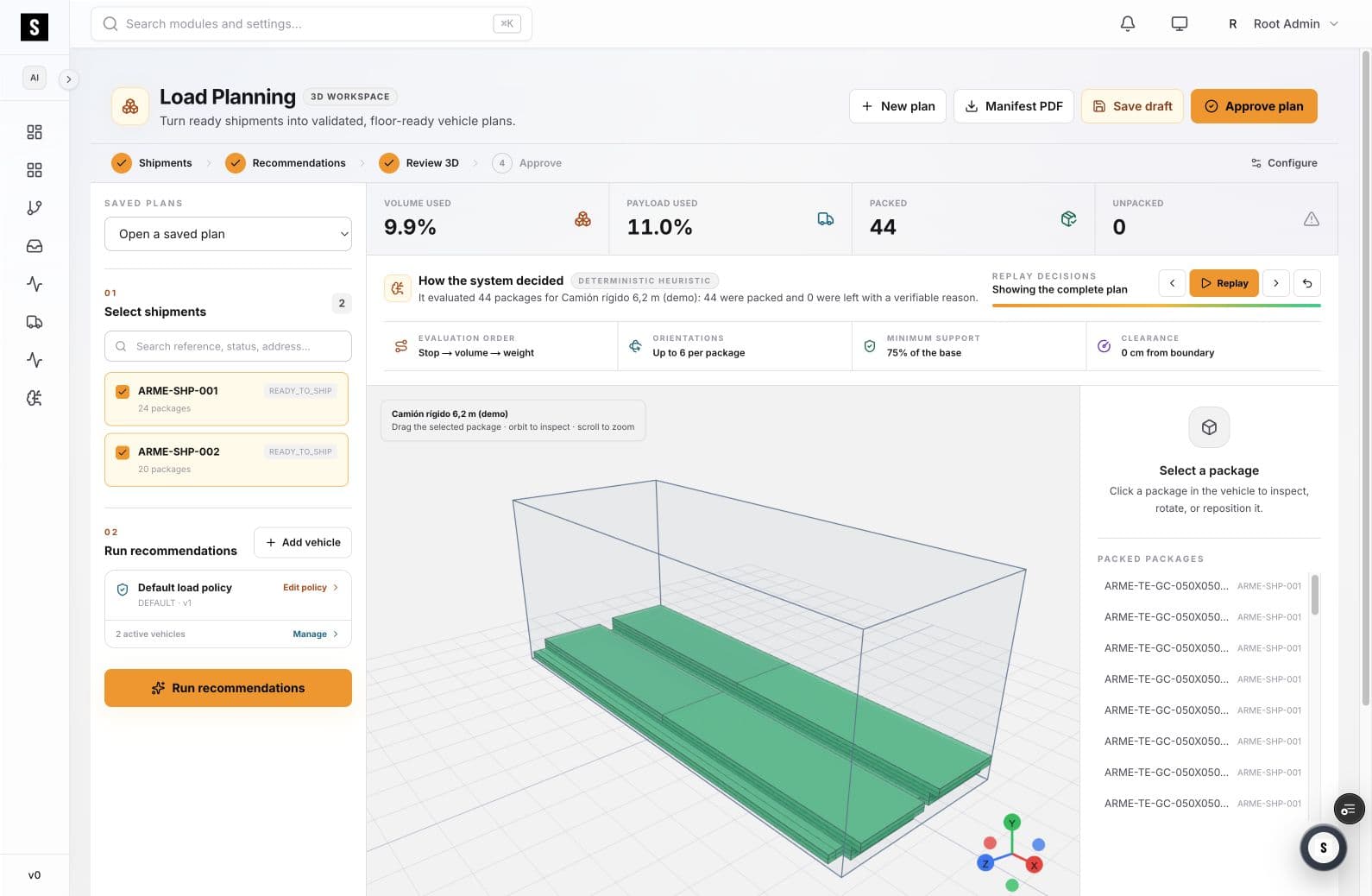
The workspace shown here contains two selected shipments and 44 packages. The visible plan reports 44 packed and 0 unpacked, with separate volume and payload metrics, a 3D vehicle review, package inspection, decision replay, manifest, draft, and approval controls.
01
What the screen shows
- Selected work
- 2 shipments · 44 packages
- Plan state
- 44 packed · 0 unpacked
- Constraints
- Orientation · support · clearance
- Handoff
- Manifest · draft · approval
02
Workflow walkthrough
- 01
Select shipments
The left rail keeps ready shipments and their package counts attached to the planning run.
- 02
Run the policy
The recommendation evaluates package and vehicle constraints under the selected load policy.
- 03
Review in 3D
The central vehicle view supports orbit, zoom, package selection, and placement review.
- 04
Replay and approve
Reviewers can follow the decision sequence before creating the manifest and approving the plan.
03
Questions to review in a demo
- Does the selected shipment set match the dispatch requirement?
- Which capacity binds first: volume or payload?
- Are all unpacked exceptions explained before approval?
- Can the floor reproduce the approved arrangement?