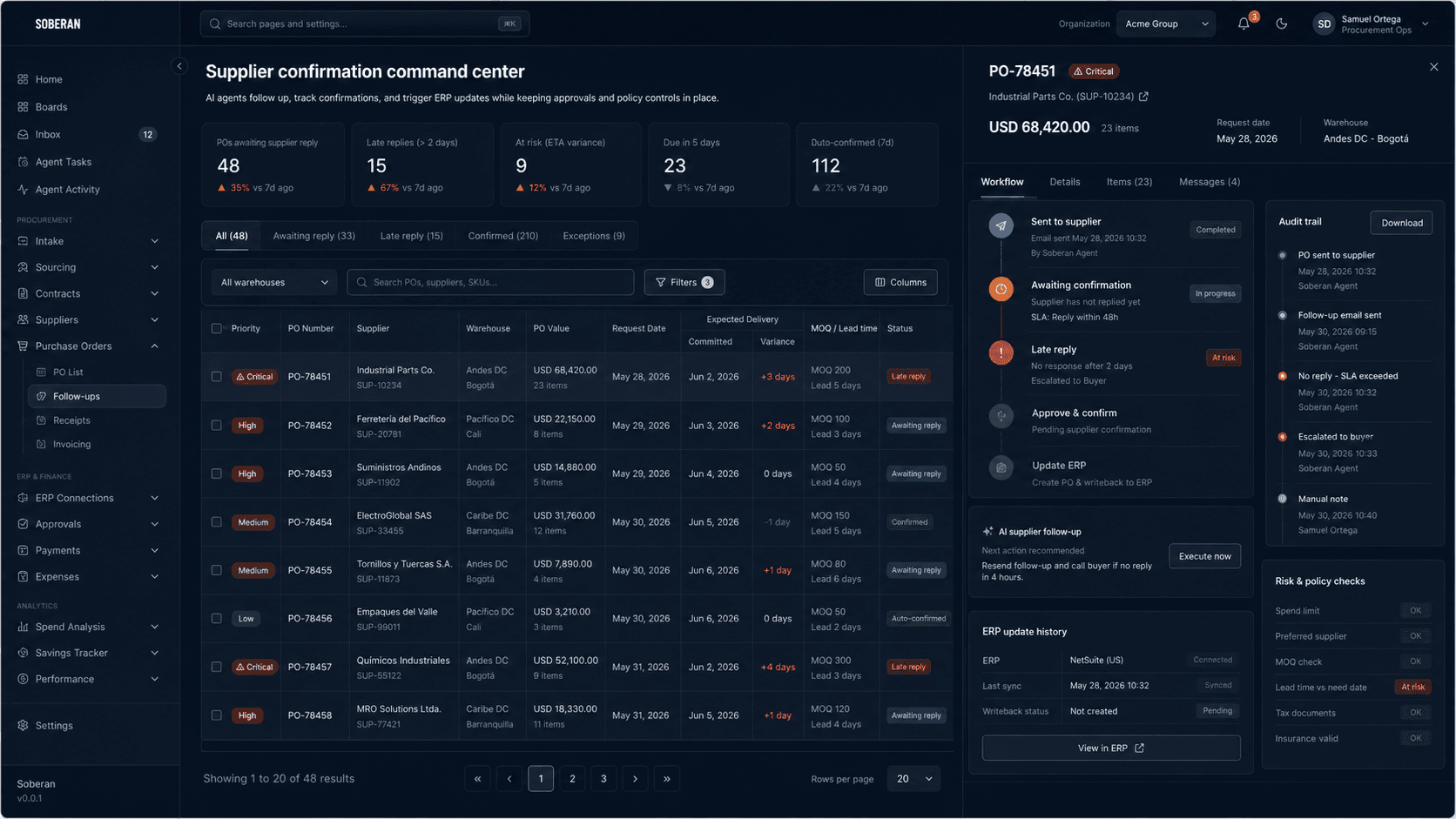
Live open-PO queue
See supplier, warehouse, value, promised date, variance, confirmation state, receipt state, and ownership in one operating view.
LIVEPurchase order tracking software
SOBERAN tracks purchase orders from issue to receipt by connecting ERP records with supplier emails, confirmations, promised dates, partial shipments, receipts, and exceptions.
01 / The visibility gap
The operational truth is split between issued POs, supplier replies, spreadsheets, portals, receiving records, and buyer memory. By the time a late date reaches the ERP, planning may already be working with a promise that no longer exists.
02 / Visible lifecycle
A useful tracker does more than label an order “open.” It records the signal, the responsible owner, and the next action at every checkpoint.
PO sent to supplier; confirmation clock starts
Price, quantity, and promised date still unconfirmed
Supplier commitment is captured against the PO
Shipment, ETA, and partial quantities become visible
Receipt is compared with the remaining open quantity
Order, receipt, and exception history stay audit-ready
Need the complete lifecycle definition? Open glossary →
03 / Decision matrix
Each exception should have a policy-controlled response—not another colored row in a spreadsheet.
04 / Operating system
See supplier, warehouse, value, promised date, variance, confirmation state, receipt state, and ownership in one operating view.
Connect confirmations and date changes from email, PDFs, WhatsApp, portals, and open-order reports to the correct PO.
Write approved dates and statuses back to the source system while preserving the original value and the reason for change.
Prioritize orders that are unconfirmed, late, partially received, or exposed to stock risk instead of reviewing every PO manually.
05 / Choose the focus
06 / FAQ
Purchase order tracking software maintains a current status for each PO from issue through confirmation, shipment, receipt, invoicing, and closure. It connects supplier signals and receiving events to the ERP record so buyers can act on exceptions.
No. SOBERAN uses the ERP as the system of record and adds the operating layer that reads supplier communications, detects changes, routes approvals, and writes governed status updates back.
The highest-priority queue normally includes unconfirmed orders, promised-date slips, partial shipments, overdue receipts, material stock exposure, and changes that require approval.
Yes. Supplier messages can be associated with the relevant PO, interpreted for dates, quantities, and confirmation status, then routed through policy before any ERP update.
Review one workflow with our team — 30 minutes, no commitment.
Book a demo