ERP · Demand Planning
Inside the SOBERAN Demand Planning workspace
See how sales history, inventory position, and replenishment signals meet in one operator view.
SOBERAN
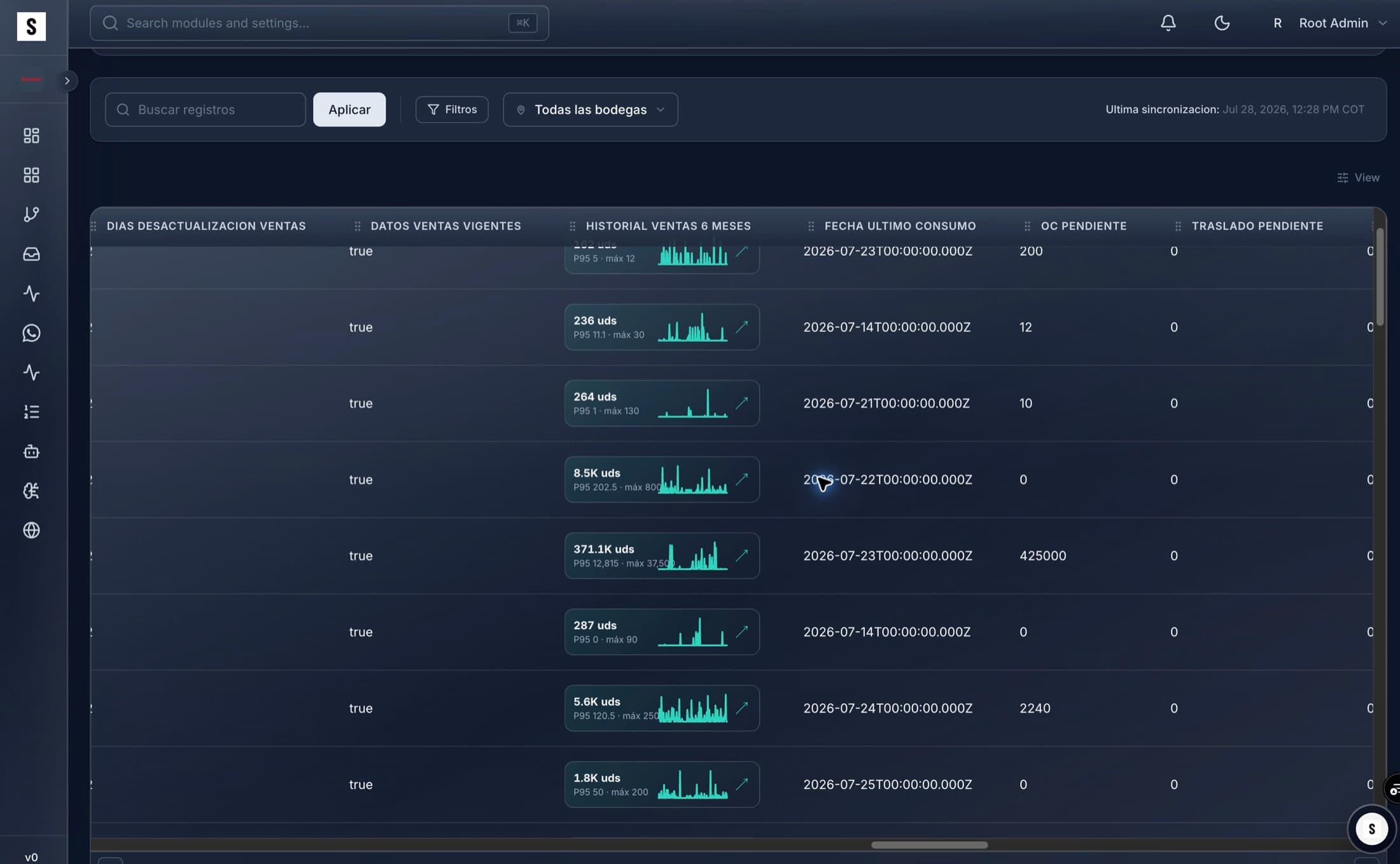
The demand-planning workspace organizes SKU and warehouse context so a planner can review current sales data, historical demand, last consumption, pending purchases, pending transfers, and recommended next actions without rebuilding the record in a spreadsheet.
01
What the screen shows
- Planning grain
- SKU · warehouse
- Demand context
- Current + six-month history
- Supply context
- Open purchase + transfer
- Operator mode
- Filter · inspect · act
02
Workflow walkthrough
- 01
Choose the network view
Filter the relevant warehouses, records, and planning population.
- 02
Read demand history
Compare current signals with recent sales behavior and last consumption.
- 03
Check open supply
Keep pending purchases and transfers visible before creating another recommendation.
- 04
Review the next action
Investigate the SKU and warehouse context before approving a purchase or transfer.
03
Questions to review in a demo
- Is demand history clean and comparable?
- Are open purchases and transfers already covering the need?
- Which location owns the next decision?
- What exception requires human judgment?